

You sent a message. A few seconds later, you see it — “Emphasized ‘your message.'” And suddenly you’re staring at your screen wondering: Why did they emphasize my text? Are they mad? Excited? Making a point?
You’re not alone. Millions of people — iPhone users, Android users, parents texting their kids — get confused by this reaction every day. The “emphasize” feature is subtle, silent, and surprisingly emotional. It means something. You just need to know what.
This guide breaks it all down clearly: what emphasized means on iPhone and Android, why people use it, how to read the tone, and what to do next.
iPhone “Emphasized” Text Meaning (Explained Clearly)
Quick answer: When someone “emphasizes” your text on iPhone, they reacted to your message using the double exclamation mark (‼️) Tapback. It means they found your message important, exciting, urgent, or strongly agree with it.
The “Emphasized” label appears below your message bubble in iMessage. It’s Apple’s built-in reaction system — no typing required.
Why Did They Emphasize My Text on iPhone?
What Is “Why did they Emphasize my text” on iPhone? (Primary Meaning)
On iPhone, Emphasize is one of the six built-in Tapback reactions in iMessage. When someone long-presses your message and selects the ‼️ icon, you’ll see:
“[Name] emphasized ‘[your message]'”
Primary meaning:
“This is important” / “I strongly feel this” / “Pay attention to this.”
The Tapback system was introduced by Apple in iOS 10 (2016) to give users a faster, non-verbal way to react to messages without clogging up a conversation with one-word replies.
The Emphasize reaction is unique because it doesn’t signal approval or disapproval — it signals intensity.
Chat-Style Examples
| Your message | Their reaction | What it probably means |
|---|---|---|
| “I got the job!” | Emphasized ‼️ | Wow, that’s huge! |
| “The meeting’s at 3.” | Emphasized ‼️ | Got it — important! |
| “We need to talk.” | Emphasized ‼️ | This matters. I see it. |
| “Just got to the airport.” | Emphasized ‼️ | Acknowledged urgently. |
Why did they emphasize my text Meaning? Tone & Emotion
The emotional meaning behind an emphasize reaction depends heavily on context. Here’s how to read it:
If the message was good news → They’re excited for you. The ‼️ is their version of “OMG YES!”
If the message was a reminder or deadline → They’re acknowledging it with urgency. “I hear you, this is real.”
If the message was emotional or serious → They’re validating your feelings without wanting to type a full response.
If the message was in a group chat → They’re drawing everyone’s attention to that specific point.
If the message was from a crush or romantic interest → They’re reacting with intensity. That’s usually a good sign.
Other Meanings of “Emphasized” (Context Matters)
Strong Agreement
Sometimes people emphasize a message as a shortcut for “Exactly!” or “100%.” Instead of replying, they let the ‼️ say it for them.
Excitement or Support
Got a promotion? Shared exciting news? An emphasized reaction is often the digital version of someone grabbing your shoulders and shaking you with joy.
Urgency or Importance
If someone emphasizes a logistical message — a time, a meeting, a deadline — they’re flagging it as something not to forget. Think of it as a digital highlighter.
Annoyance (less common)
In rare cases, particularly if the conversation already had tension, emphasizing a message can carry a passive undertone of “Yeah, I noticed that.” Context is key here.
Acknowledgment Without Words
Sometimes people emphasize simply because they’ve read and registered the message but don’t have time — or don’t want — to type a response. It’s a non-verbal nod.
When to Use It & When to Avoid It
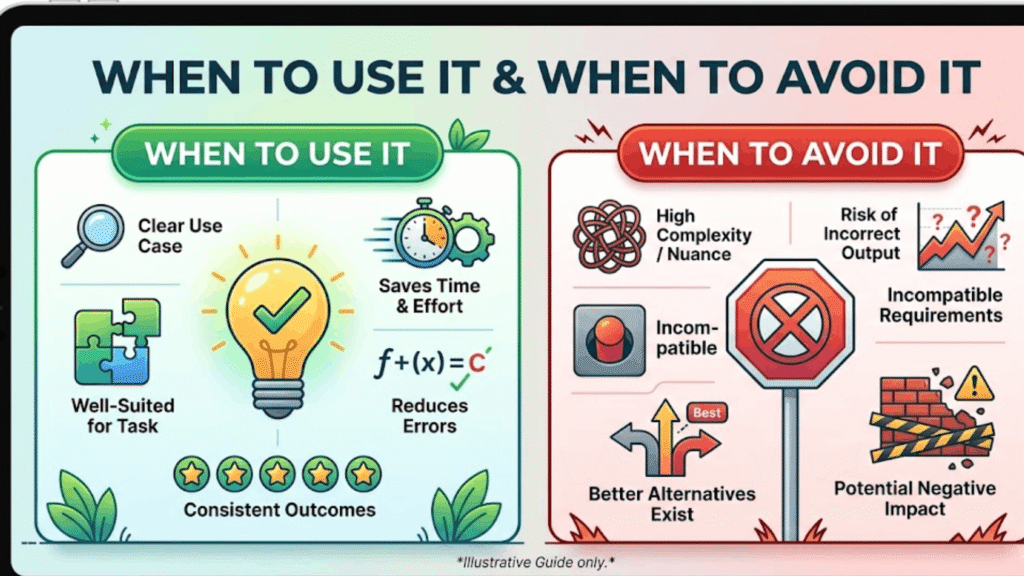
Use Emphasize when:
- You want to react with strong emotion but don’t have words
- You need to highlight something important in a busy group chat
- You want to acknowledge a message without starting a back-and-forth
- You’re genuinely excited, shocked, or in full agreement
Avoid Emphasize when:
- The message is emotionally heavy and deserves a real written response
- The other person is already anxious or insecure and may misread the reaction
- You’re in a professional context where it might seem ambiguous or immature
Usage Table
| Situation | Use Emphasize? | Why |
|---|---|---|
| Friend shares big news | ✅ Yes | Shows excitement |
| Partner texts “I miss you” | ⚠️ Maybe | Might feel cold — type instead |
| Boss sends a deadline | ✅ Yes | Clean acknowledgment |
| Someone shares bad news | ❌ No | Use words to show empathy |
| Group chat — important detail | ✅ Yes | Flags it for everyone |
| Casual small talk | ❌ No | Overkill for low-stakes chat |
4 Usage Tips
- Read the room first. Emphasize lands differently in a romantic chat vs. a work Slack.
- Don’t over-use it. If you emphasize every message, it loses its weight.
- Pair it with a reply in sensitive situations. React AND respond.
- In group chats, use it to signal agreement without sending a “+1” message that clutters the thread.
Real Conversation Examples
Friend Chat
You: “Finally got my driver’s license!” Friend: Emphasized “Finally got my driver’s license!” → Translation: “That’s HUGE, I’m so proud of you!”
Romantic Chat
You: “I really like spending time with you.” Them: Emphasized “I really like spending time with you.” → Translation: This landed. It means something to them.
Family Chat
Mom: “Dinner is at 6, don’t forget.” You: Emphasized “Dinner is at 6, don’t forget.” → Translation: Got it, won’t miss it.
Workplace
Manager: “The client presentation is Monday morning.” You: Emphasized “The client presentation is Monday morning.” → Translation: Understood, noted, treating it seriously.
Marketplace / E-commerce
Buyer: “Can you ship by Friday?” Seller: Emphasized “Can you ship by Friday?” → Translation: Yes — or at minimum: I see this and I’m on it.
Related Slang & Reactions
If you’re trying to decode digital communication, here’s how the Emphasize reaction compares to similar expressions:
| Reaction / Slang | Meaning |
|---|---|
| ‼️ Emphasize (Tapback) | “This is important / I strongly feel this” |
| ❤️ Love (Tapback) | “I love this message” |
| 👍 Like (Tapback) | “Agree / got it” |
| 😂 Haha (Tapback) | “This made me laugh” |
| ❓ Question (Tapback) | “I’m confused by this” |
| “FR FR” (slang) | Strong agreement |
| “NO WAY” (slang) | Shock or disbelief |
| “THIS” (slang) | Strong agreement — pointing at your message |
Why Did They Emphasize My Text (Android)?
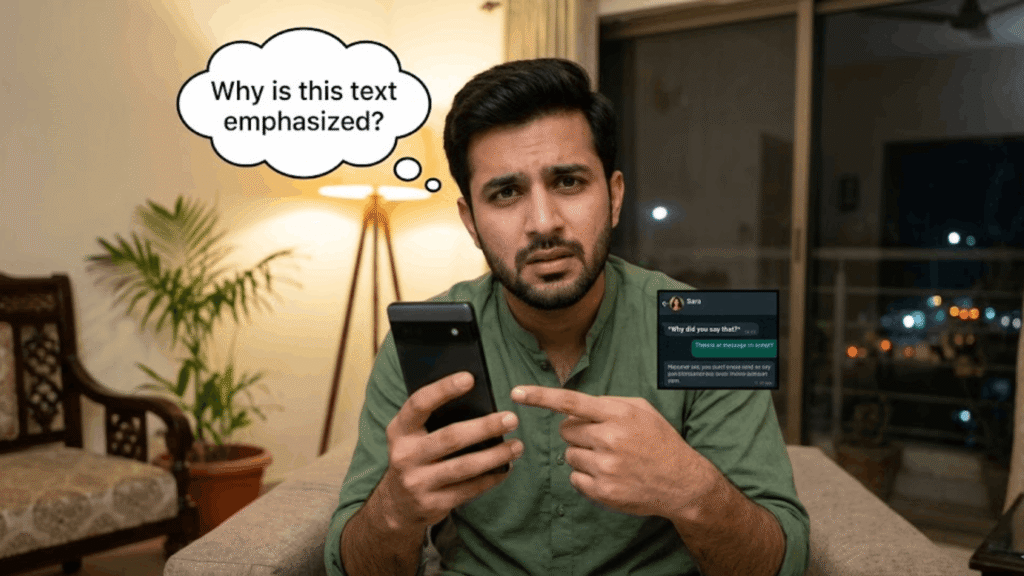
Here’s where it gets interesting. Android phones don’t have native iMessage Tapbacks — but they receive the reactions differently.
When an iPhone user emphasizes a message sent to an Android user, the Android recipient may see one of two things:
- A text notification reading: “[Name] Emphasized ‘[message]'”
- An emoji reaction (on newer Android devices using Google Messages with RCS), where the ‼️ gets converted to a 😮 “open mouth” emoji
This is because Google translated Apple’s Tapback symbols into their own emoji equivalents. So if you’re on Android and saw the word “Emphasized” pop up, someone with an iPhone just hit that double exclamation reaction on your message.
It still means the same thing: they reacted strongly to what you sent.
Also Read This: What Does “IMSG” Mean in Text on Instagram? (The REAL Meaning)
What Does “Emphasize an Image” Mean in Text?
This is different from the message reaction. When someone “emphasizes an image” in iMessage, they’re using the same ‼️ Tapback — but reacting to a photo you sent rather than a text.
It means: “Wow, this photo got a strong reaction.”
They might be saying:
- This image is impressive
- This shocked me
- This photo matters / I’m paying attention to it
It works the same way mechanically — long-press the image, select ‼️ — but the emotional weight is directed at the visual rather than a written message.
How to Emphasize a Text on iPhone
It takes about two seconds:
- Open iMessage on your iPhone
- Find the message you want to react to
- Long-press the message bubble until a menu pops up
- You’ll see six reaction icons — tap the ‼️ (two exclamation marks)
- The reaction appears instantly — no send button needed
The sender will see: “[Your name] emphasized ‘[message]'”
To remove or change it: Long-press the message again → tap the ‼️ again to deselect, or choose a different reaction.
How to Emphasize a Text on Android
Android doesn’t have iMessage Tapbacks natively, but if you’re using Google Messages with RCS (Rich Communication Services) enabled, you can react to messages similarly:
- Open Google Messages
- Long-press the message you want to react to
- A row of emoji reactions will appear
- Select the emoji that fits (😮 is roughly equivalent to the iPhone Emphasize reaction)
Note: RCS reactions look different from iMessage Tapbacks, and cross-platform reactions may display differently on the other person’s phone.
Emphasize Emoji Meaning
The Emphasize reaction is represented by ‼️ — two red exclamation marks. The symbol itself carries the meaning visually:
- Double exclamation = double the attention, double the intensity
- It’s the punctuation world’s equivalent of shouting, but without aggression
- In emoji language, ‼️ means: “This deserves extra attention”
When you see this reaction on your message, that’s the shorthand your recipient chose for something that words felt too slow or too plain to express.
What Does “Emphasized” Mean (Simple)
If you want the one-sentence version:
“Emphasized” means someone reacted to your message with the ‼️ Tapback on iPhone, indicating they found it important, exciting, urgent, or worth strong attention.
It’s not negative. It’s not neutral. It’s intense — in the best way, most of the time.
Emphasize the Text by Making It Dash
Some users confuse iMessage’s Emphasize reaction with text formatting. In word processors and some messaging apps, you can emphasize text visually using:
- Bold — makes text heavier and more prominent
- Italic — adds stylistic emphasis
- CAPS — implies shouting or strong tone
- — dashes — used to set off important clauses or create dramatic pauses
In iMessage specifically, “emphasize” only refers to the ‼️ Tapback reaction — there’s no built-in bold or italic formatting in standard SMS/iMessage bubbles.
Emphasize Text Message Meaning
In the broadest sense, to “emphasize a text message” means to make something stand out — either through a reaction, formatting, or tone. In everyday digital communication:
- On iPhone: The ‼️ Tapback reaction
- In writing: Bold, caps, or punctuation to add weight
- In tone: Repeating or restating something to make sure it’s heard
All three signal the same thing — this part matters more than the rest.
Emphasize Text in Word
If you’re using Microsoft Word and want to emphasize text, that’s a different context entirely. In Word:
- Select the text you want to emphasize
- Use Ctrl+B (Bold) or Ctrl+I (Italic)
- Or right-click → Font → choose Bold, Italic, or Underline
Word’s “Emphasis” is also a built-in character style (Home → Styles → Emphasis) that applies italic formatting automatically.
Final Summary
| Question | Answer |
|---|---|
| What does “Emphasized” mean on iPhone? | Someone reacted to your message with the ‼️ Tapback |
| Is it positive or negative? | Almost always positive — urgency, excitement, or agreement |
| What if an Android user sees it? | They see a text notification or 😮 emoji depending on their app |
| Can I remove an emphasis reaction? | Yes — long-press the message and tap ‼️ again |
| Should I reply to an emphasized message? | Only if the context calls for it — it often acts as a self-contained reaction |
| Does emphasizing an image mean the same thing? | Yes — strong reaction to a photo, same Tapback |
The next time you see “Emphasized ‘[your message]'” under a text, don’t overthink it. Someone thought what you said was important enough to highlight — and that’s almost always a good thing.
Platform Differences
iMessage
The home of the Emphasize reaction. All Tapbacks (including ‼️) work natively between Apple devices. Reactions appear as small bubbles attached to the message.
WhatsApp has its own emoji reaction system. You can long-press any message and react with any emoji. There’s no specific “Emphasize” label — but users often use ‼️ or 😮 for the same effect.
Instagram DMs support emoji reactions. Press and hold a message to react. No Tapback-style labels appear — just the emoji floats near the message.
TikTok
TikTok’s messaging feature supports basic reactions, but “Emphasize” as a concept is mainly associated with iMessage. On TikTok, users express emphasis through comments, reposts, and duets.
Facebook / Messenger
Facebook Messenger lets you react with any emoji. Long-press a message → choose your emoji. The ‼️ emoji can be used, though Messenger doesn’t auto-label it as “Emphasized.”
Work Platforms (Slack / Teams)
Slack and Microsoft Teams both support emoji reactions on messages — hover over a message and click the emoji icon. These are commonly used for acknowledgment, urgency signals, or team-wide emphasis in channels.
FAQs
Q: What does it mean when someone emphasizes your text? They used the ‼️ Tapback on iMessage — it signals your message was important, exciting, or strongly agreed with.
Q: Is being “emphasized” a good thing? Almost always yes. It means your message had impact and they wanted to mark it.
Q: Why does my Android say someone “Emphasized” my message? An iPhone user reacted to your text with the ‼️ Tapback — Android shows it as a text notification since iMessage reactions don’t render the same way.
Q: Can I turn off emphasize reactions on iPhone? No, but you can ignore them. Tapback reactions can’t be disabled for individual contacts.
Q: How is Emphasize different from Like on iMessage? Like (👍) means general approval. Emphasize (‼️) means intensity — something is important or exciting, not just “okay.”
Q: Does emphasizing an image mean the same as a text? Yes — the same ‼️ Tapback, but directed at a photo. It means the image made a strong impression.
Q: Can someone see that I viewed their message if I emphasize it? Yes — the sender will receive a notification showing you emphasized their message.
Q: What’s the difference between Emphasize and Love on iPhone? Love (❤️) = emotional warmth or deep appreciation. Emphasize (‼️) = urgency, excitement, or strong importance.
